Sunday, 5 February 2012

Updates to Google Docs app for Android

Updates to Google Docs app for Android: Offline access and improved tablet experience
There may be times when you don’t have an Internet connection on your Android device, but you still want access to a file you’ve saved in Google Docs. Now you can select any file in Google Docs to make it available offline. So regardless of whether you’re connected to the internet, you’re always connected to those files.

Even better, Google Docs automatically updates your offline files when you’re on Wi-Fi. You can also manually update files anytime you have a data connection by opening the file or tapping ‘Update’ from the Offline section of the app.
Make file available offline 


Update online file 


Make file available offline


Update offline file


For those of you with Android tablets, google also improved the Google Docs reading experience. Now, when you open a Google document on your tablet while online, you’ll get a high-resolution version of the document. Swipe left and right to flip between pages, or use the slider at the bottom to page ahead quickly.


New reading layout on Android tablet


via Google Docs blog

Saturday, 4 February 2012

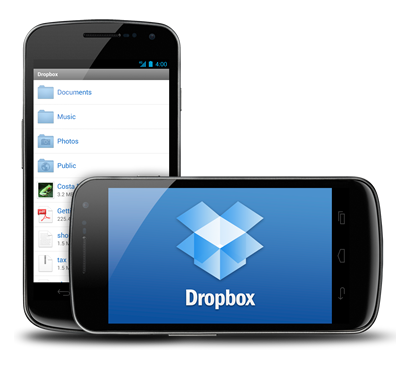
Dropbox free file sharing application for Android (beta)


The people at DropBox have just announced a big beta release for their Android file sharing application.


We’ve got some very interesting features here:-

The biggest of which is automatic uploading. Much like the feature on Google+, DropBox can automatically upload your photos and video to the service to ensure that your memories are backed up as soon as you capture them.
They want to give users incentive to test this feature so they’re offering up to 5GB of storage for using the feature in your everyday life. Simply enable automatic uploading and you’ll get an additional 500MB of storage for the first photo uploaded.
After that, you can get 500MB more storage after 500MB of photos or video are automatically uploaded, up to 5GB. People are always looking for new ways to get free storage so if you aren’t concerned about privacy give it a shot.
They’ve raised the upload limit! Instead of being limited to 180MB at a time, you now have no limits whatsoever. Thanks to that it should be even easier to get that extra 5GB they’re offering.
We’ve also got the ability to resume uploads and bug fixes and performance improvements. The beta is free for everyone to download.
Download the APK here.


via Dropbox

US military ready to deploy secure Android smartphones


US military ready to deploy secure Android smartphones

The US government is ready to start handing out Android smartphones to high-ranking officials and soldiers stationed throughout the world, according to new reports. We’ve heard plenty of chatter over the past year or so about the government’s interest in deploying devices running Google’s mobile OS for military use, and, the powers that be have signed off on our favorite green robot’s enlistment forms. The decision came after Google’s biggest mobile competitor, Apple, denied government officials access to iOS source code. Android became an obvious choice due to the platform’s openness and the ability for a third-party to alter the operating system’s code. This has allowed for the government to create their own custom version of Android that meets stringent security standards and allows for the transmittal of classified information.
Much work has been done testing specific applications and analyzing the sorts of data transmitted. Researchers found that many apps often ask for permissions excessive of what they actually need to function. Government-issued Android devices will allow users to see exactly what information is being sent and then decline the transmission of that data. The goal is to provide a strong layer of security while still allowing those with the devices to enjoy a casual game such as Angry Birds during down time.
The devices will be used to relay sensitive information and aid in communications between officials high on the political scale as well as soldiers in theaters of combat. Using the secure smartphones our men and women on the frontline will be able to communicate their position and better organize their military movements.
Oh, and the real kicker? One contractor working on the project has revealed that new Android OS updates will be pushed to government-grade devices in as little as two weeks. With a streamlined approval process, once software has been appropriately modified it will be fast-tracked to deployed smartphones. We’d like to see any carrier or manufacturer top that.
via CNN

Samsung Galaxy S2 4.0 ICS Build leaked


New Samsung Galaxy S II Android 4.0 ICS update build leaked

SGS2 ICS New Samsung Galaxy S II Android 4.0 ICS update build leaked Ice Cream Sandwich update builds for SamsungGalaxy S II are appearing every week. The latest one to reach Sammobile.com packs some UI changes as well as battery performance improvement over the previous builds. It is also said to be decent enough for daily use.
Flashing this is not recommended for everyone. However, if you dont know how to flash Gingerbread back on Galaxy S2, don’t install this ICS update build.
Build Details:
I9100XXLPB, based on Android 4.0.3
Screenshots:

Friday, 3 February 2012

Samsung Galaxy Skin Flexible Concept

Samsung is moving ahead by introducing the latest generation use of special materials that make the Mobile phone fully flexible and thin as a sheet of paper. The concept, called Samsung Galaxy skin, can fold into two or four parts as needed or being used as a video projector.
A recent survey conducted by Nielsen reveals that a great percentage of mobile customers in the United States are owners of smartphones and also that smartphones are responsible for the majority of purchases of new cell phone.More people are thinking of purchasing smartphones who don't own currently.
Smartphone is a gadget that has classified the convenience of a tiny computer that can be easily taken anywhere. With smartphones increasing becoming a trend around the globe, iPhones along with Android phones are now components of many households.
A few months after, Samsung confirmed the manufacture of the AMOLED displays which are flexible and set to be debuted by June 2012. At the Consumer Electronics Show 2011 in Las Vegas, Samsung showed off its AMOLED displays. The displays are bendable, can be rolled all the way up and they can even withstand direct hits from a hammer.
The concept for this new mobile phone leaps ahead of the smartphone era to usher in the era of the “Genius Phone.”So, we’ve seen dual-core processors in phones, Massive screen sizes that are too big to fit in your pocket and we’ve even explored the third dimension with phones like the Optimus 3D and Evo 3D. Where do we go from here? How about flexible displays then. Samsung showed off their concept phone, called the ‘Skin’ in South Korea in June and earlier, at CES 2011. The phone uses a special flexible AMOLED screen instead of glass that uses a plastic polyimide substrate. Due to this, the display is flexible enough to bend around a cylinder measuring just an inch in diameter
In the place of a glass display, the AMOLED flexible one utilizes a polyimide substrate made from plastic. Research has revealed that by using plastic polyimide in place of glass, the flexible displays will have the capacity to wrap around a 1-inch cylinder. The flexible display receives electrical signals which result in physical deformation; which is the polymer core technology that is electrically active. One of the best features of the flexible displays is that they make use of AMOLED technology, which means that they are equipped with low energy consumption and bright screens. Furthermore, Samsung has joined forces with Ube Kosan, a company in Japan, which will most likely play a vital role in manufacture of the AMOLED flexible displays.
Samsung Galaxy skins Images:

Gingerbread nears 60 % ICS nearing to 1%

Android in January: Gingerbread nears 60%, ICS gets 1%

02 February, 2012


The Google developers have just published the updated charts, showing the version distribution of the platform in December. Gingebread keeps extending its lead at the top and now powers 58.6% of all droids - a 3.1 percent point increase compared to the previous month.
Froyo comes in a comfortable second, despite slipping 2.6 percent points to 27.8% share. At this point most of the phones that were meant to get Gingerbread updates have already gotten those, so the Froyo share will probably only be influenced by new sales and phones reaching the end of their lives from now on.
Android 2.1 Eclair is the third most popular release of the platform - its market share diminished by 0.9 percent points, but 7.6% were enough for the bronze medal.
Honeycomb comes in next, its three revisions gaining just 0.1 percent point this month, but still securing 3.4% market share.
Android's latest and greatest - 4.0 Ice Cream Sandwich is only the fifth most widespread release of the popular platform. Still, it gained 0.4 percent points of market share in January - not bad for a platform that's only officially available on a couple of smartphones and one slate.

Version
Market Share, October
Market Share, November
Change
1.5 Cupcake
0.6%
0.6%
0.0
1.6 Donut
1.1%
1.0%
▼0.1
2.1 Eclair
8.5%
7.6%
▼0.9
2.2 Froyo
30.4%
27.8%
▼2.6
2.3 Gingerbread
0.6%
0.5%
▼0.1
2.3.3 Gingerbread
54.9%
58.1%
▲3.2
3.0 Honeycomb
0.1%
0.1%
0.0
3.1 Honeycomb
1.5%
1.4%
▼0.1
3.2 Honeycomb
1.7%
1.9%
▲0.2
4.0 Ice Cream Sandwich
0.3%
0.3%
0.3
4.0.3 Ice Cream Sandwich
0.3%
0.7%
▲0.4

The Android 1.6 Donut and 1.5 Cupcake releases are still on the map, though with shares of 1% and 0.6% respectively, they are bound to disappear sooner, rather than later.

Source

Thursday, 2 February 2012

Samsung GALAXY Phone Codes


Samsung GALAXY Phone Codes

General Codes:

01) *#*#4636#*#* - Phone Information
02) *2767*3855# - Hard Reset
03) *#*#7780#*#* - Factory Reset
04) *#*#7594#*#* - Change End Call/Power Option
05) *#*#197328640#*#* - Service Mode
06) *#*#273283*255*663282*#*#* - File Copy Screen (Backup Media Files)
07) *#*#526#*#* - WLAN Test
08) *#*#232338#*#* - Shows WiFi MAC address
09) *#*#1472365#*#* - GPS Test
10) *#*#1575#*#* - Another GPS test
11) *#*#232331#*#* - Bluetooth test
12) *#*#232337#*# - Shows Bluetooth device address
13) *#*#8255#*#* - GTalk Service Monitor

Codes to launch various Factory Tests:

01) *#*#0283#*#* - Packet Loopback
02) *#*#0*#*#* - LCD test
03) *#*#0673#*#* - Melody test
04) *#*#0842#*#* - Device test (Vibration test and BackLight test)
05) *#*#2663#*#* - Touch screen version
06) *#*#2664#*#* - Touch screen test
07) *#*#0588#*#* - Proximity sensor test
08) *#*#3264#*#* - RAM version

Codes to get Firmware version information:

01) *#*#4986*2650468#*#* - PDA, Phone, H/W, RFCallDate
02) *#*#1234#*#* - PDA and Phone
03) *#*#1111#*#* - FTA SW Version
04) *#*#2222#*#* - FTA HW Version
05) *#*#44336#*#* - PDA, Phone, CSC, Build Time, Changelist number
06) *#*#3214789650#*#* GpsSetup2
07) *#7284# UART and USB options
08) *#1234# Version
09) *#06# View IMEI number
10) *#*#4636#*#* Usage stats and device info
11) *#9090# Service mode UART and USB /slightly different form the 7284 one/
12) *#9900# Sysdump /if you dont know what it means, probably you won't need this one /
13) *#03# NAND flash unique number
14) *2767*3855# Hard reset
15) *#*#7780#*#* Factory data reset
16) *#0*# Testing mode
17) *#*#4636#*#* Usage stats and device ingo
18) *#0782# Real Time Clock
19) *#0011# GSM status
20) *#*#197328640#*#* Servicemode, Debug, Netz, Audio, Common
21) *#7465625# Engineering mode
22) *#2263# Band selection
23) *#232337# Bluetooth adress
24) *#*#232331#*#* Bluetooth test
25) *#*#232338#*#* WLAN-MAC address
26) *#*#2663#*#* Touchscreen Firmwareversion
27) *#*#2664#*#* Touchscreen test
28) *#*#0588#*#* Proximity test
29) *#0842# Vibrator test
30) *#0228# Batery stats
31) *#0673# Audiotestmenu
32) *#*#8255#*#* Gtalk service monitor
33) *#*#7594#*#* Powerbutton settings
34) *#07# Test history
35) *#32489# Ciphering info
36) *#0589# Light sensor read
37) *#272886# Enable/Disable auto answer
38) *#301279# Switch 3G - HSPA

More codes
1. *#*#3214789650#*#* GpsSetup2
02. *#7284# UART and USB options
03. *#1234# Version
04. *#06# view IMEI number
05. *#*#4636#*#* usage stats and device info
06. *#9090# service mode UART and USB /slightly different form the 7284 one/
07. *#9900# sysdump /if you dont know what it means, probably you won't need this one /
08. *#03# NAND flash unique number
09. *2767*3855# hard reset
10. *#*#7780#*#* factory data reset
11. *#0*# testing mode
12. *#*#4636#*#* Usage stats and device ingo
13. *#0782# Real Time Clock
14. *#0011# GSM status
15. *#*#197328640#*#* Servicemode, Debug, Netz, Audio, Common
16. *#7465625# Engineering mode
17. *#2263# Band selection
18. *#232337# Bluetooth adress
19. *#*#232331#*#* Bluetooth test
20. *#*#232338#*#* WLAN-MAC address
21. *#*#2663#*#* Touchscreen Firmwareversion
22. *#*#2664#*#* Touchscreen test
23. *#*#0588#*#* Proximity test
24. *#0842# Vibrator test
25. *#0228# Batery stats
26. *#0673# Audiotestmenu
27. *#*#8255#*#* Gtalk service monitor
28. *#*#7594#*#* Powerbutton settings
29. *#07# Test history
30. *#32489# Ciphering info
31. *#0589# Light sensor read
32. *#272886# Enable/Disable auto answer
33. *#301279# Switch 3G - HSPA

Join Samsung Galaxy 3 Fan page

Join Samsung Galaxy 3 Fan page which is owned by me on http://www.facebook.com/samsung.galaxy3.

Enjoy all tips and tricks related to g3.

Welcome to Androidnova

Hello Android Lovers,
This Blog is especially for all Android lovers related to news of upcoming Android phones,tablets,TV's.
This Blog will also host tutorials regarding rooting,firmware uploading and Best applications.

Join Us on Facebook Follow me on Twitter Subscribe to RSS Email Us